Lock your files away. See who tried your phone.
Stillgarth keeps your files encrypted on the phone, and Phone Guard takes a front-camera photo when someone enters the wrong PIN, password or pattern.
No internet permission. No accounts. No ads.
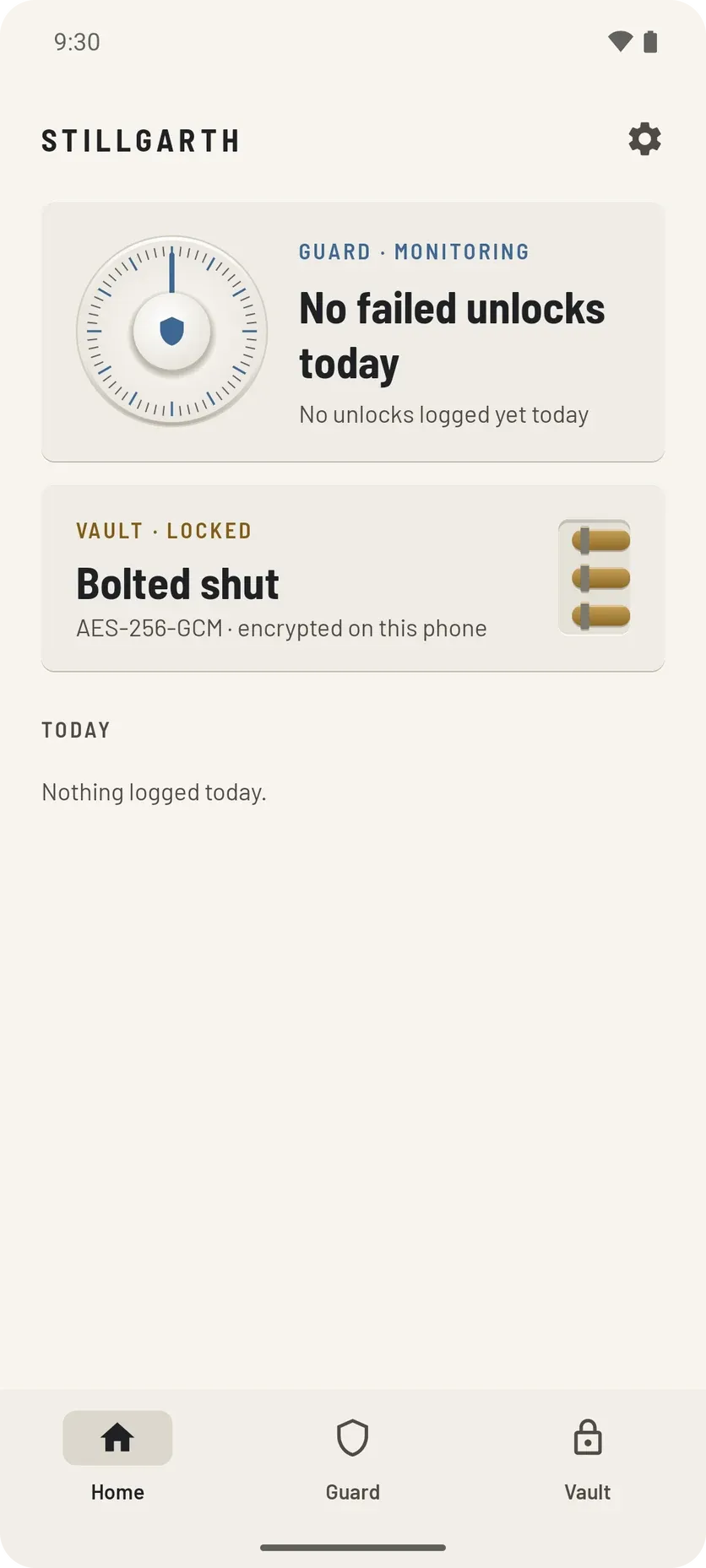
- Encrypted on the phoneEvery file is sealed with AES-256-GCM before it is stored.
- A photo after a wrong codeTaken with the front camera when someone fails your lock screen.
- Private, even from the developerNo accounts, no analytics. Your data never leaves the phone.
A vault only you can open
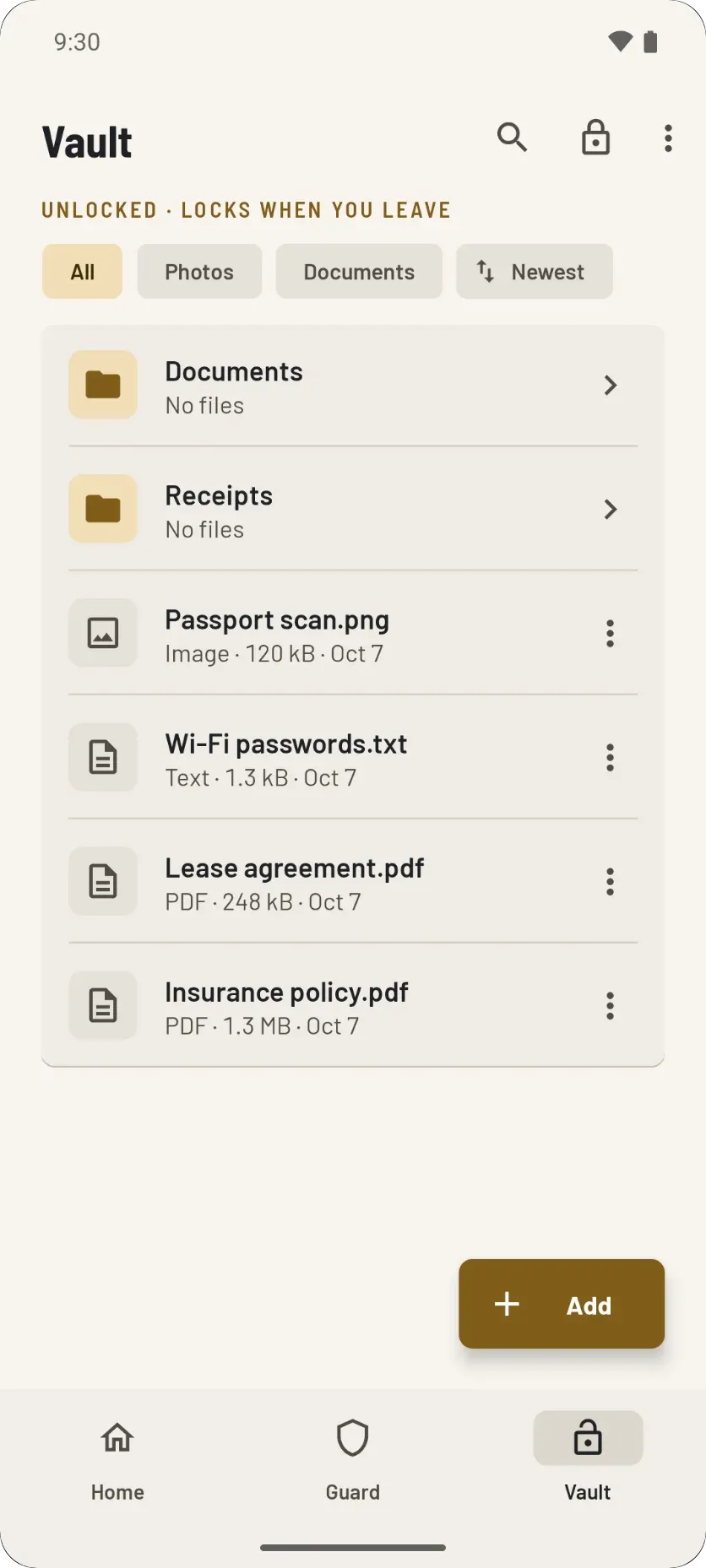
Photos, documents and any other file are encrypted on your phone with AES-256-GCM before they are stored. File names, folders and dates are encrypted too.
- Unlock with a password, a 4 to 8 digit PIN or your fingerprint
- Take photos straight into the vault, never to your gallery
- Move files in: each one is encrypted and checked before the original is erased
- Locks itself when you leave the vault or the screen turns off
- A duress code that silently erases everything if you are forced to open it
What happens when someone tries the wrong PIN?
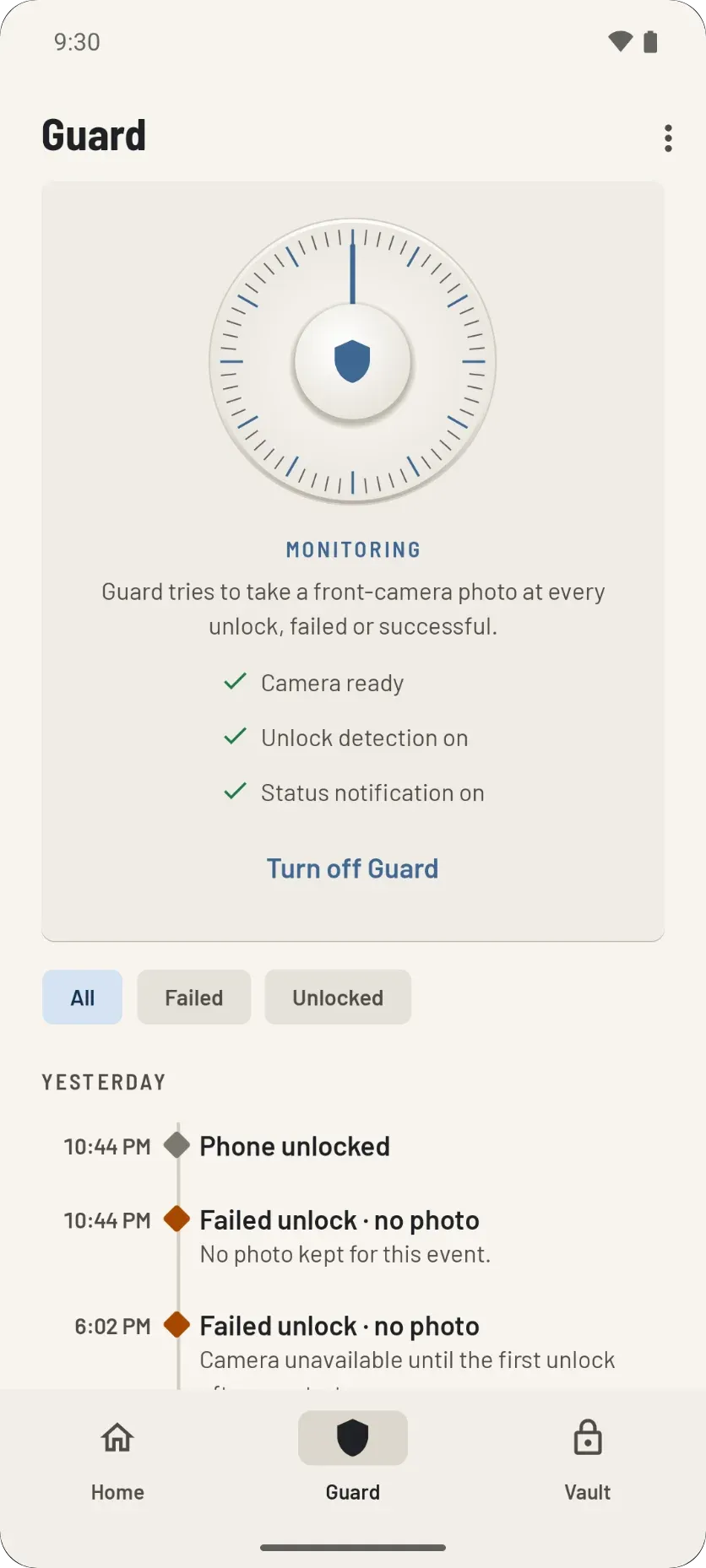
Phone Guard takes a photo with the front camera, logs the time, and seals the photo so only your vault can open it. It watches your phone's own lock screen.
- A photo at every successful unlock too, unless you turn it off
- A day-by-day log of failed and successful unlocks
- A permanent notification, so you always know Guard is on
- Turning Guard off asks for your vault password, PIN or fingerprint

From a wrong code to a sealed photo
Step 1: A wrong code
Someone types the wrong PIN, password or pattern on your lock screen.
Step 2: A front-camera photo
Guard takes it in memory, with no preview on the screen.
Step 3: Sealed for your vault
Encrypted with your vault's public key before anything is stored.
Step 4: Opened only in the vault
Filed under Guard photos at your next vault unlock.
Who can see your files?
Only you. Stillgarth is private by design: no internet permission, no accounts, no ads, and the developer never receives any of your data.
No internet permission
The app cannot send anything anywhere. There is no server to send it to.
No accounts
Nothing to sign up for, no email address, no profile.
No ads
No ad network, so no ad code running next to your files.
No analytics or tracking
The developer never receives any of your data.
How do you set it up?
Three steps, all on the phone. Nothing to sign up for.
Step 1: Create your vault
Pick a password. It is never stored anywhere, so only you can open the vault. Add a PIN or fingerprint for everyday unlocks.
Step 2: Add your files
Add files from any app, or move them in: each file is encrypted, the copy is checked, then the original is erased.
Step 3: Turn on Phone Guard
Guard watches the lock screen. After a wrong unlock code it takes a photo you can only see inside the vault.
Questions people ask first
Does the app need an internet connection?
No. It has no internet permission at all, so it cannot send your files, photos or logs anywhere. There are no ads, no accounts and no analytics.
What happens if I forget my password?
Nobody can recover it, including the developer. The password is never stored, which is exactly why nobody else can open the vault either. Keep it somewhere safe.
Can Phone Guard lock or wipe my phone?
No. It uses Android device administrator only to be told about wrong unlock codes. It cannot lock, wipe or change the phone, and you can turn it off at any time.
Is Stillgarth on Google Play?
Not yet. It is coming soon to Google Play. The download page lists what phone you need and every permission the app asks for.
Keep your files sealed and your lock screen watched
Stillgarth is coming soon to Google Play. See what phone you need and every permission it asks for.