A vault for your files that only you can open
Every file you put in the Stillgarth vault is encrypted on your phone with AES-256-GCM before it is stored. File names, folders and dates are encrypted too, and nothing opens without your password, PIN or fingerprint.
What can you keep in the vault?
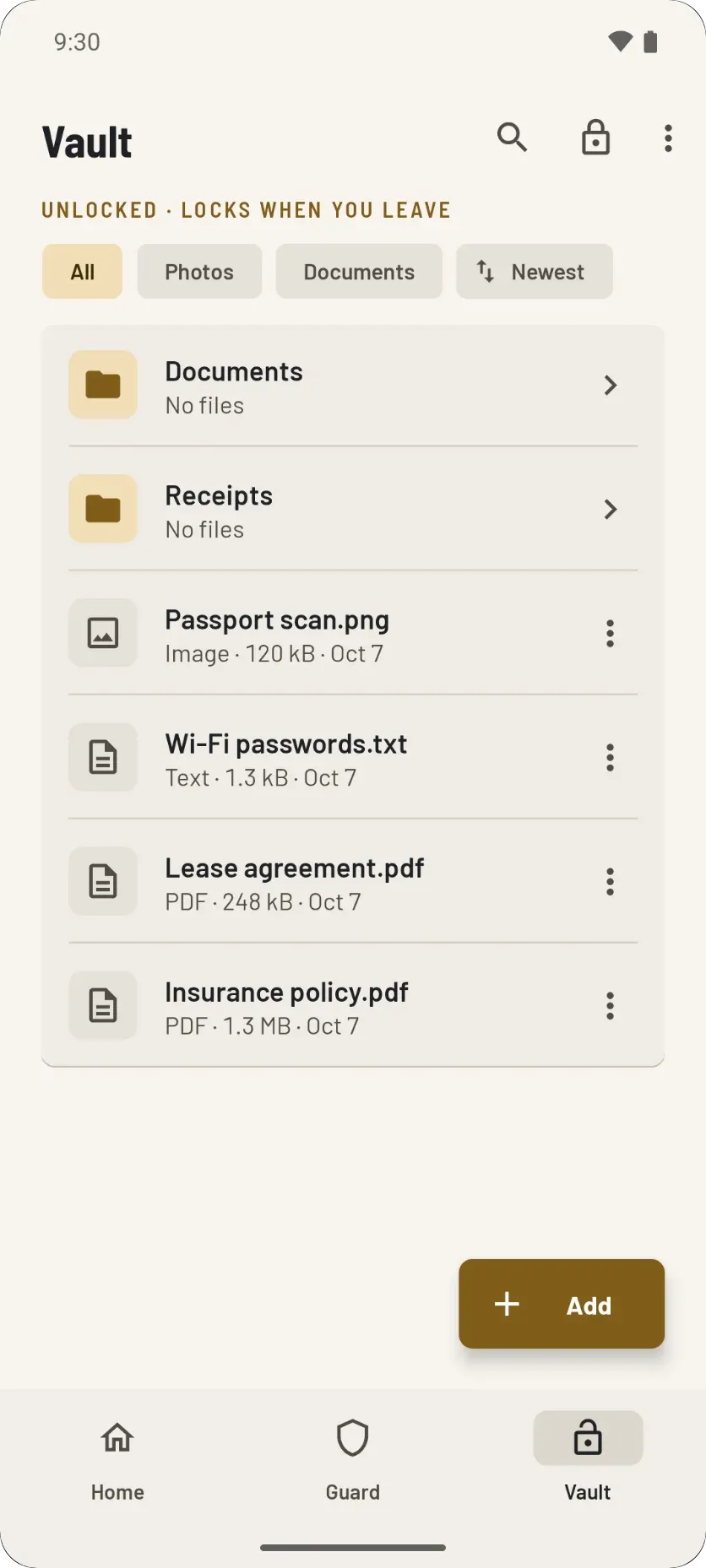
Any file. Photos, PDFs and text files open right inside the vault. Any other kind of file is kept encrypted too, and you can share it to another app when you need it.
Add files from any app
Pick files with Android's own file picker. Import files keeps the originals where they are.
Move files into the vault
Each file is encrypted, the vault copy is checked, and only then is the original erased.
Take photos straight into it
Photos you take from inside the vault never touch your gallery.
View them inside the vault
Photos, PDFs and text open in the app and are never written to the phone in readable form. Swipe between photos.
Folders, search and sorting
Rename, move and search. Filter by photos or documents. Folder rows count what is inside, subfolders included.
Share only when you choose
Share or export a file to another app. Nothing leaves the vault unless you send it.
How do you unlock the vault?
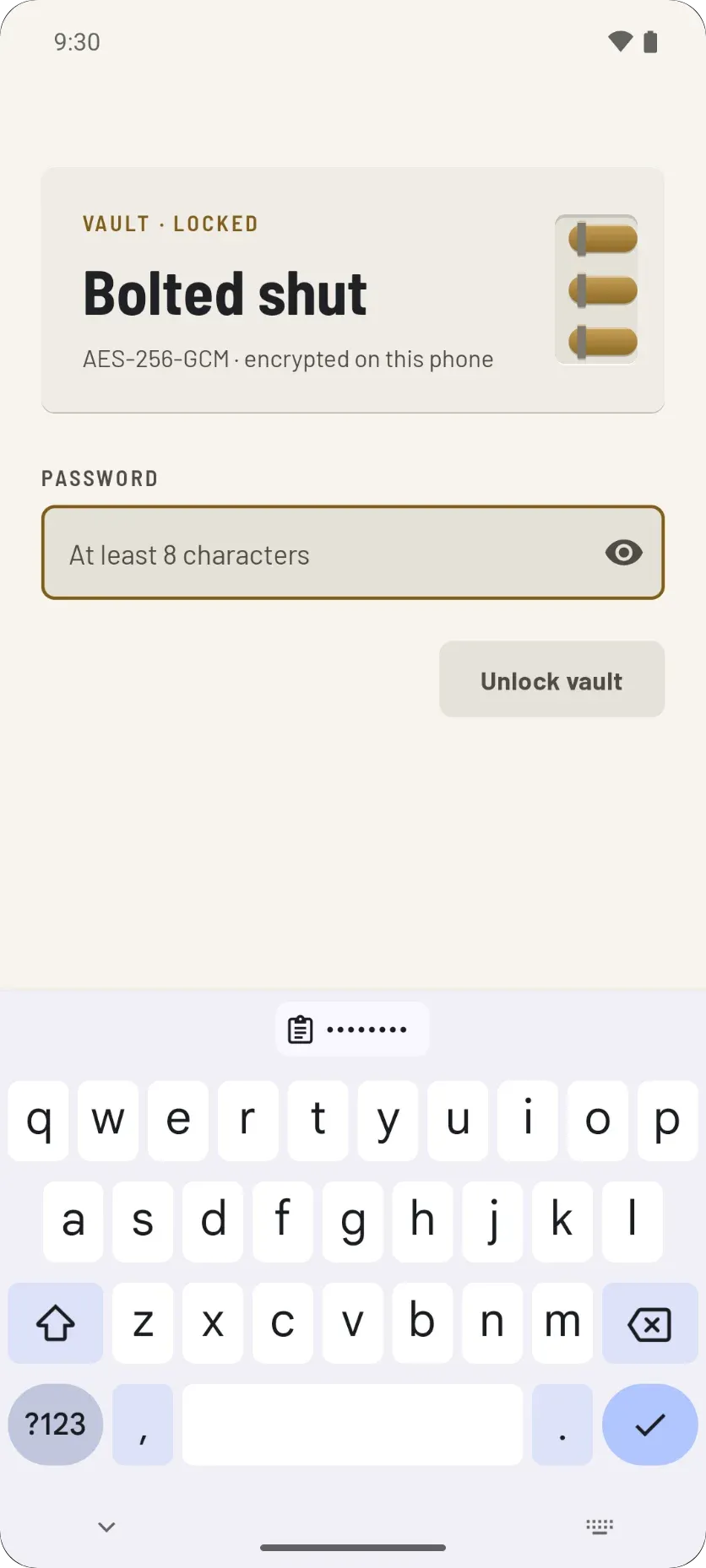
With your password, a 4 to 8 digit PIN, or your fingerprint. Set up the password first, then add a PIN or fingerprint for quick everyday unlocks.
Wrong guesses cost time. Five wrong PINs lock the PIN for 30 minutes. Each wrong password doubles the wait, from 2 seconds up to 5 minutes. Closing the app does not reset either count.
- Password: at least 8 characters and never stored anywhere. It always works, so it is your way back in.
- PIN: 4 to 8 digits, protected by your phone's security chip.
- Fingerprint: Android checks it and only tells the app that it is you.
When does the vault lock itself?
As soon as you leave it. Go to Home or Guard and it locks at once. Turn the screen off and it locks. Leave Stillgarth and it locks after a short delay that you choose.
Why a delay at all? Adding a file, taking a photo or sharing hands the screen to another app for a moment. The delay lets that app hand back without locking you out. The default is 30 seconds.
Locking when the screen turns off is on by default. You can change both in Vault settings.
- Immediately
- After 15 seconds
- After 30 secondsDefault
- After 1 minute
- After 5 minutes
- After 15 minutes
- After 1 hour
How does Move files into vault work?
It encrypts each file, checks the vault copy, and only then erases the original. If anything fails, the original stays where it was.
Step 1: Encrypt
Pick one or several files with Android's file picker. Each one is encrypted into the vault.
Step 2: Check
The vault copy is decrypted and compared with the original (SHA-256). A copy that does not match is removed, and the original is left alone.
Step 3: Erase
A file on this phone is overwritten with zeros and deleted. A file that belongs to another app, such as Google Drive, is deleted through that app, which may keep it in its trash.
What is a duress code?
A second PIN or password that erases the vault the moment it is typed. If someone forces you to open the vault, type it instead of your real one.
- Every file, folder and unlock method is erased at once, silently. Stillgarth then looks as if it had just been installed.
- It works on Phone Guard's “Is it you?” check too: the change goes through and the vault is erased.
- It must be different from your password and PIN. Set it in Vault settings, or skip it.
- A backup file you saved somewhere else is left alone.
What else protects the vault?
A few quieter rules that keep your files from leaking out around the edges.
Screenshots blocked
Screenshots and app previews are blocked inside the vault by default. You can change this only from inside the unlocked vault.
Gone when the screen goes dark
When the screen turns off, every Stillgarth screen closes and the app leaves your recent apps. Whoever unlocks the phone next lands on the home screen.
No password-manager autofill
Password managers can't fill or save the vault password, PIN or duress code. A saved copy would be a second key, synced off the phone.
Refuses a tampered phone
The vault stays shut on a phone that looks rooted or is running a debugger or Frida. Home and Phone Guard still work there.
Is there a file size limit?
Yes. One file can be up to about a fifth of the memory Android gives the app: about 100 MB when it gives 512 MB. Previews stop at 64 MB.
The vault decrypts and checks the whole file before it shows you a single byte. That is the safe way to use AES-GCM, and it means the whole file has to fit in memory. Adding, exporting or sharing a file over the limit is refused with a message.
Photos and documents fit easily. Large videos may not.
Read how files are checkedLock your files away on your own phone
No account, no internet permission, no ads. Stillgarth keeps the vault and everything in it on your phone.